

Looking for the best writing tools in the expanding world of new AI tools? You might want to take some time and check out Grammarly's lasted tool called GrammarlyGO.
It's the newest addition to the Grammarly family and is a strong contender to be one of the best AI writing assistants for those who are looking to get started with using artificial intelligence.
If you're a small business owner or local entrepreneur, you're no stranger to the clock's relentless ticking. Time is of the essence, and diving into a new tool might seem daunting. But here's the deal: generative AI tools, particularly GrammarlyGO, are designed to streamline your content process.
In a nutshell, you can use GrammarlyGO to write:
- Personalized email replies to customer inquires
- Outlines for creative blog posts on your website
- Engaging social media content to get your potential customers chatting
- and many more short-form content ideas, on top of all the spelling and grammar Grammarly is known for
Key Takeaways
Pros:
Cons:
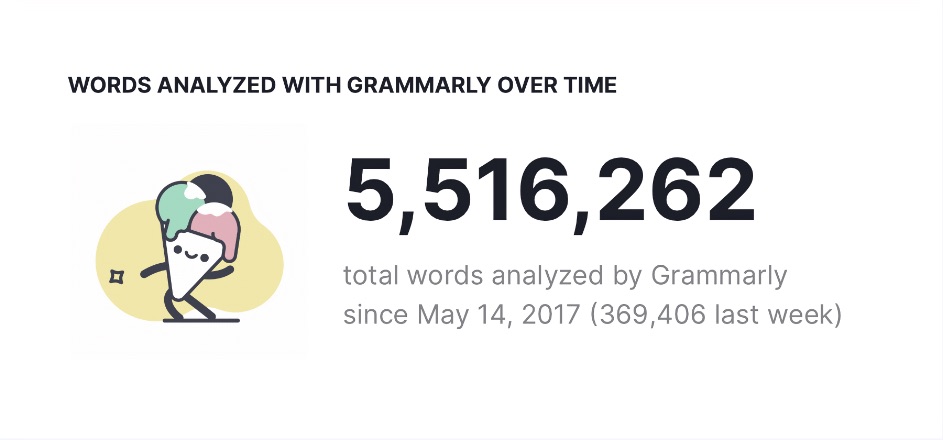
I've been using Grammarly Premium since 2017, and with over 5.5 million words checked by Grammarly at the time of writing, it's been nothing short of transformative for my writing journey. GrammarlyGO, with its generative AI features, seems to be on track to capture lightning in a bottle once again, like it did with the release of Grammarly in 2009.
In this GrammarlyGO review, we'll answer the key questions about GrammarlyGO, weigh the pros against the cons, compare it against other AI tools on the market, and I'll share some hands-on experiences. By the end, you'll have a clearer picture of whether this tool fits snugly into your writing arsenal.
For transparency's sake: buying through our links means we might receive a commission. This at no extra charge to you, but it does help Local AI Academy and our commitment to truthful reviews. We value your trust and support!
GrammarlyGO Background
Grammarly, the heavyweight in online grammar checking and plagiarism detection, has long been the go-to companion for millions globally.
Come March 2023, Grammarly unveiled its next generation of writing assistance with the launch of GrammarlyGO. While it's still in beta, it's quickly becoming a powerful AI writing assistant, and the numbers don't lie!
GrammarlyGO has quickly developed a large user base, resulting in the creation of over 100 million content pieces.
Quick Overview - GrammarlyGO
Quick Overview GrammarlyGO
AI Tool Type
Text Generation
Starting Price
Free!
Learning Curve
Beginner
Primary Use
Short-Form Content
In-Depth GrammarlyGO Review
What Is GrammarlyGO?
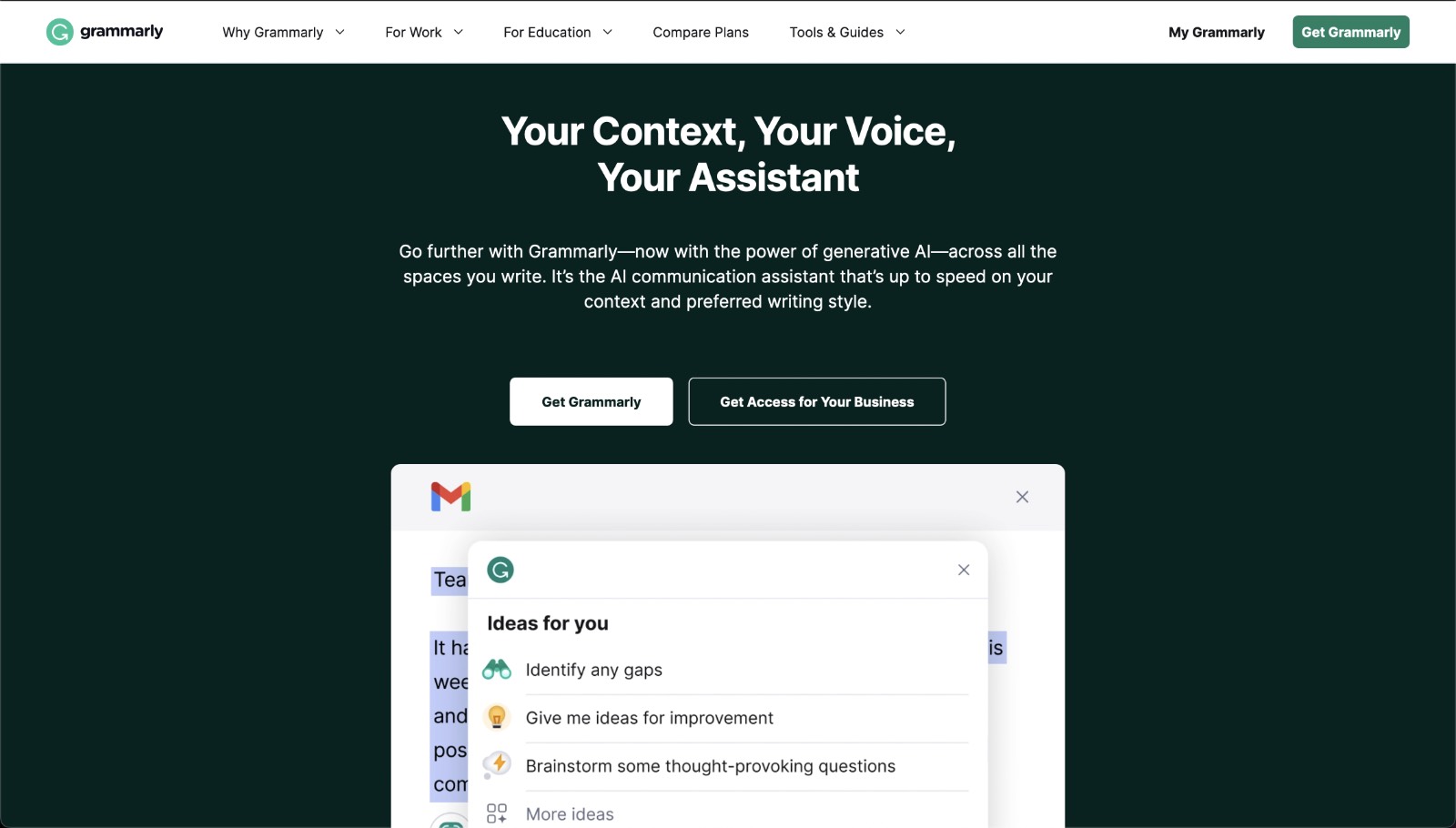
GrammarlyGO is a generative AI designed to amplify your writing, jump-start your productivity, and help you overcome writer's block. Think of it as an AI chatbot designed specifically to help you improve any writing tasks you've been putting off.
In action, if you're crafting an email, it's not just about getting words on the screen. GrammarlyGO chimes in with tone, format, and style advice, ensuring your digital messages strike the right chord. Of course, the usual suspects—grammar gaffes, spelling slip-ups, and clarity conundrums—are all handled with finesse.
Content generated through GrammarlyGO can elevate your writing by:
Composing Fresh Content: From punchy emails to insightful blog outlines and snappy tweets, it helps you weave words into narratives, making your ideas more engaging and impactful.
Refining Existing Content: Got a chunk of text that's good but could be great? GrammarlyGO reshapes it—enhancing clarity, engagement level, and even adjusting the tone or style to mirror your intended vibe.
Feedback Galore: It highlights the little things—from grammar to punctuation—and even chips in with style nudges, sentence structure revamps, and word choice wisdom.
GrammarlyGO is an excellent addition for writers of all shades, especially professionals looking at upping their writing while shaving off those precious minutes.
What Are the Key Features of GrammarlyGO?
Having used Grammarly for years, I've always found it to be a must-have tool installed on my notebook. The Grammarly icon is always just a click away, ready to correct any errors I might have made.
With the introduction of GrammarlyGO, my excitement has only grown. This upgraded version combines the power of AI with those tried-and-true features of Grammarly that I've come to rely on.
What has struck me most about GrammarlyGO is its emphasis on efficiency. As a local business owner, time is my most precious asset. So, when a tool promises to not only enhance my writing but also shave off hours from my tasks, it immediately gets my interest.
Among its growing feature list, several have stood out in their potential to be game-changers, and here are just a few GrammarlyGO features.
Powerful AI Content Creation
Have you ever been stuck with a great idea but just couldn't find the right words to convey it? Writer's block sucks, and I've been there too, but there's now an easy solution to solve it.
Picture this: You need to draft a detailed email for a client, but you don't know how to put the right words together. Instead of spending endless minutes pondering, you turn to GrammarlyGO. With just a few bullet points and key details you want it to include, you'll see it draft that entire email in just a few seconds.
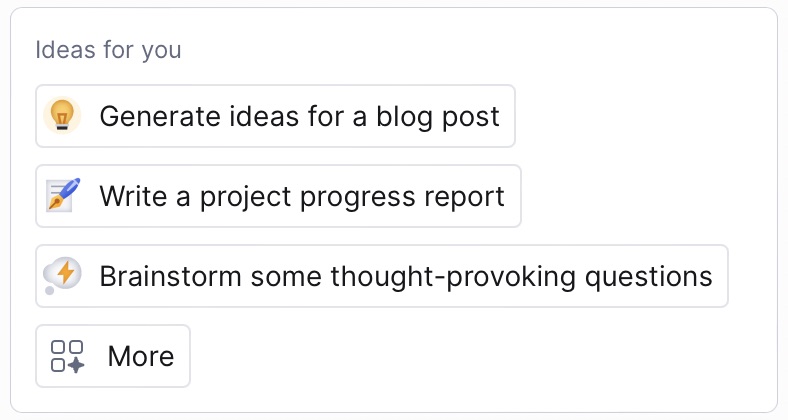
1-Click Context Aware Suggestions
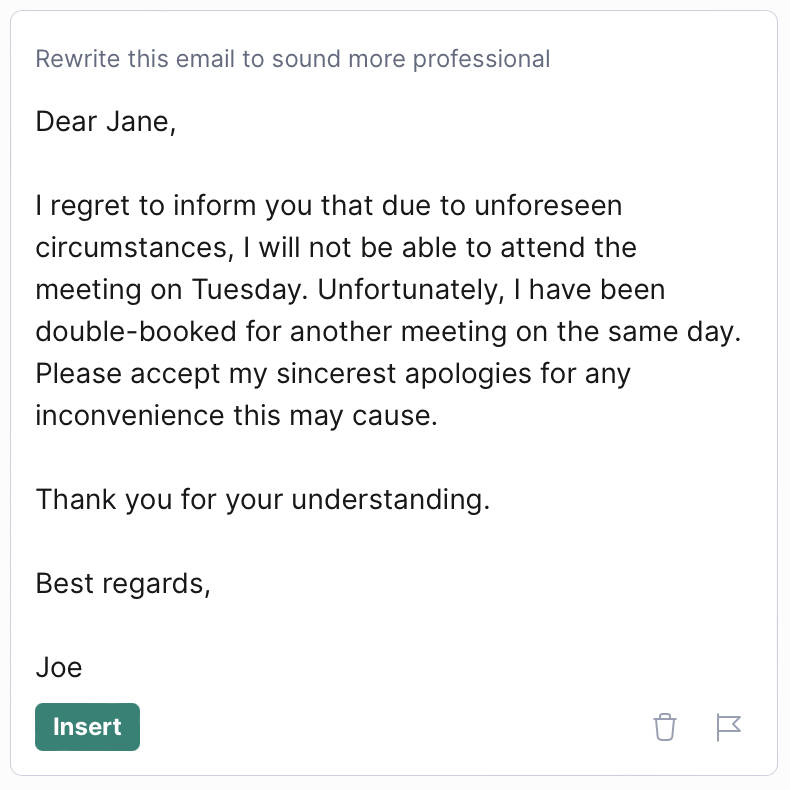
Adjusting content to get the right tone can be tricky. That's where GrammarlyGO's context-aware suggestions come in handy.
Let's say you use GrammarlyGO to draft an email. It's decent, but you think it could sound more professional. With GrammarlyGO, you don't have to redo the whole thing. One click and it changes the tone for you but keeps the main message the same.
Personalize Content to Match Your Voice
Writing is personal. It's an extension of our thoughts, feelings, and experiences.
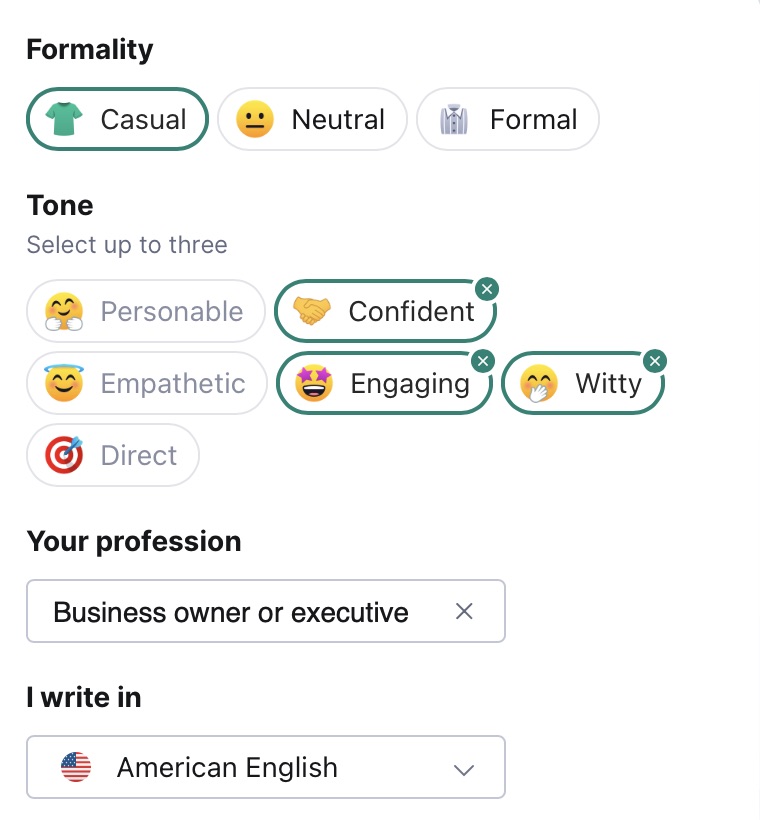
While a tool like GrammarlyGO can aid in crafting sentences, making sure it captures our unique voice is important. This is where the personalization features come to play. GrammarlyGO provides;
Formality Levels: Whether you're drafting a relaxed message to a colleague, a balanced report, or a polished corporate email, GrammarlyGO caters to all. You can swiftly switch between Casual, Neutral, and Formal.
Tone: GrammarlyGO offers six different tones - Personable, Confident, Empathetic, Engaging, Witty, and Direct. Select up to three that best represent the mood you're aiming for.
Within a few clicks, you can set GrammarlyGO to match your intended voice and style.
Is GrammarlyGO Beginner-Friendly?
Getting started with a new tool can sometimes feel overwhelming, especially if you're not super techy. But with GrammarlyGO, it's pretty painless to get going. Here's what makes it beginner-friendly:
The design of GrammarlyGO is clean and easy to understand. There's a handy widget that lets you quickly get to what you need. And if it's your first time using it, the layout is clear and won't leave you scratching your head.
One of the things I like is how GrammarlyGO talks to you. It's not full of tech jargon. Instead, it gives suggestions and helps in a way that feels like you're just chatting with a friend who's good at writing.
GrammarlyGO also knows that everyone is different. So, it lets you pick settings that work for what you're doing. Whether you're writing a serious business email or a fun tweet, it's got you covered.
If you're not sure about jumping in, there's good news. GrammarlyGO has a free plan. You get 100 prompts per month to test it out. And if you like it, you can always get more by upgrading.
Where Can You Access GrammarlyGO?
The real power behind GrammarlyGO is that it's just a click away. The convenience of just having to click the GrammarlyGO button on all my favorite apps and websites is incredible. But, like with all beta tools, it doesn't cover every corner just yet.
Here's a quick overview of where you can access GrammarlyGO:
Grammarly Editor: After logging into your Grammarly account on their website, the Grammarly Editor is right there waiting. It's a good spot if you want to use all the tools in your subscription, like the plagiarism checker.
Desktop App: Whether you're on Windows or MacOS, GrammarlyGO is pretty accessible. By downloading the Grammarly for Windows or Grammarly for Mac app on their website, you'll have access to GrammarlyGO anywhere on your computer.
Supported Apps: Using Grammarly in apps that have native support is such a smooth experience. Think Notion, Microsoft Word, and Google Docs – they all have GrammarlyGO ready to assist you. Just highlight your content, and let GrammarlyGO do its thing.
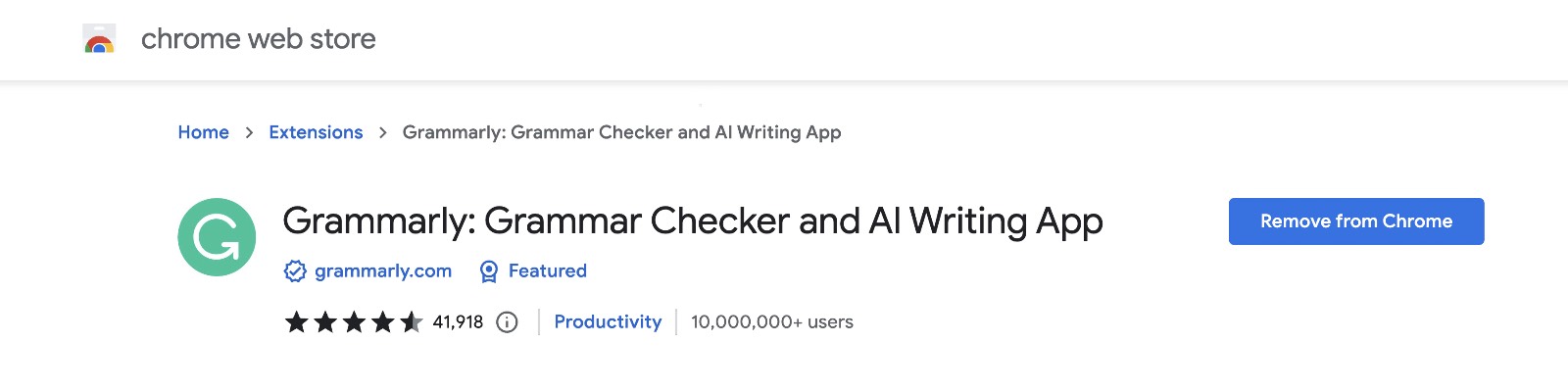
Browser Extensions: If you're into social media marketing or online content creation, the browser extension is a must-have. As of now, you can get GrammarlyGO support in Chrome, Safari, and Edge. But, sadly, Firefox users will have to wait a bit longer. Just download the required extension, like Grammarly for Chrome, and it will instantly work on almost every website you visit.
And one last note: GrammarlyGO isn't currently available on mobile. Those of you hoping to use it on the go with Grammarly Keyboard for iOS will have to wait a little longer. I have a feeling they'll expand to mobile devices soon enough, as mobile users will benefit from GrammarlyGO too!
Will GrammarlyGO Pass Popular AI Detection Tools?
Since GrammarlyGO is an AI tool at the end of the day, a common question arises: can the content generated by GrammarlyGO be detected by popular AI detectors?
To shed some light on this, I decided to put GrammarlyGO to the test.
Keep in mind that being detectable by an AI detector isn't necessarily a negative. It all comes down to your intended use for the content.
At present, Google seems okay with AI-generated content, but things can change, and potential penalties are something to be wary of.
Which is why it's important to always be creating content that sounds natural for readers and can go unnoticed by AI detectors. But for tasks like email replies, social media updates, or brainstorming sessions, AI detection shouldn't be a major concern.
For our test, I asked GrammarlyGO to write a mock introduction for a blog post titled "5 Red Flags to Look for When Hiring a Plumber" for our made-up "Pipedream Plumbing Pros" company. Let's look at how this content measured up against some popular AI detectors.
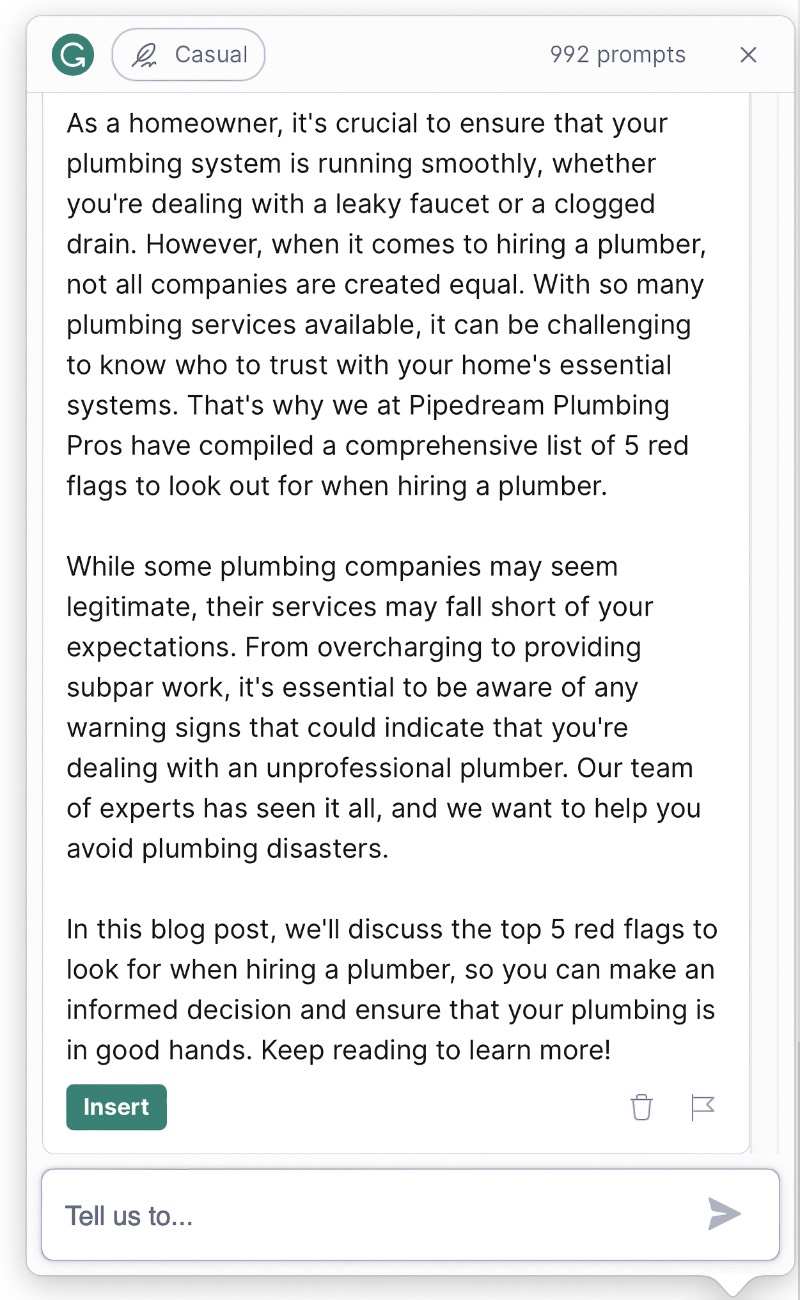
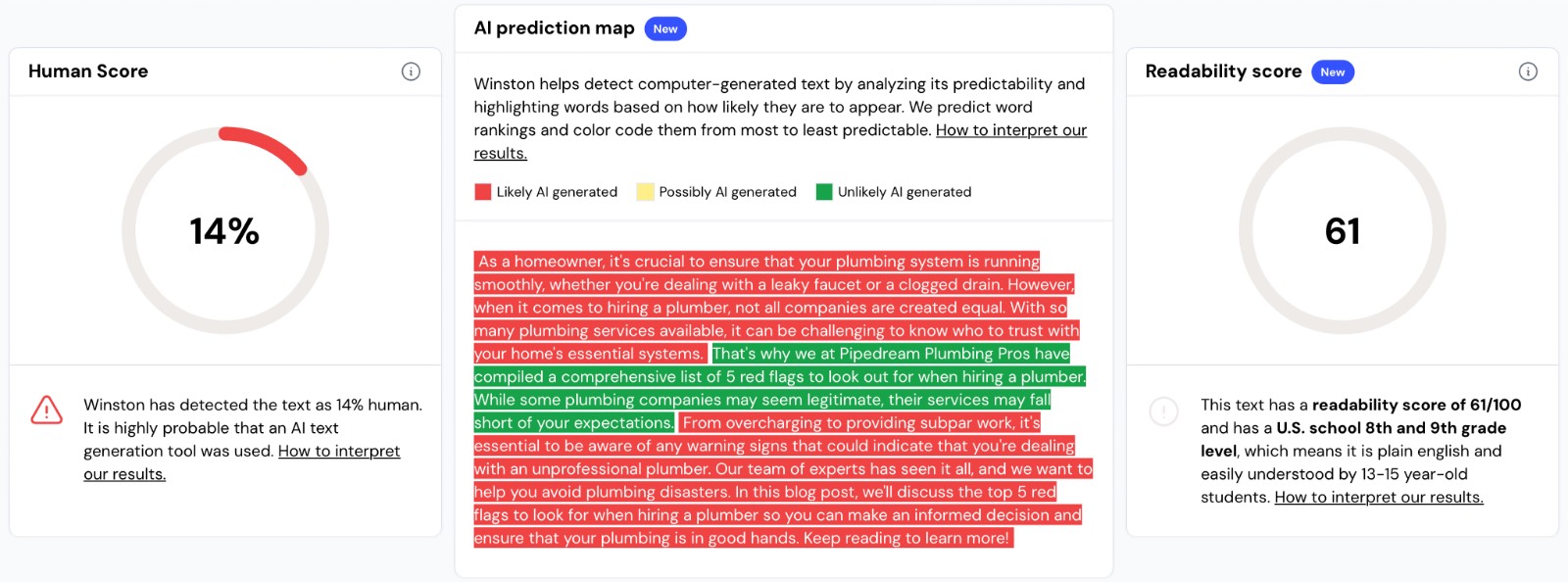
The introduction I created with GrammarlyGO for the AI detector tests.
Winston AI
We’re going to start with Winston AI as our first AI detector for this test. It's known for its impressive 99% detection rate when it comes to identifying content from AI tools like ChatGPT and Bard.
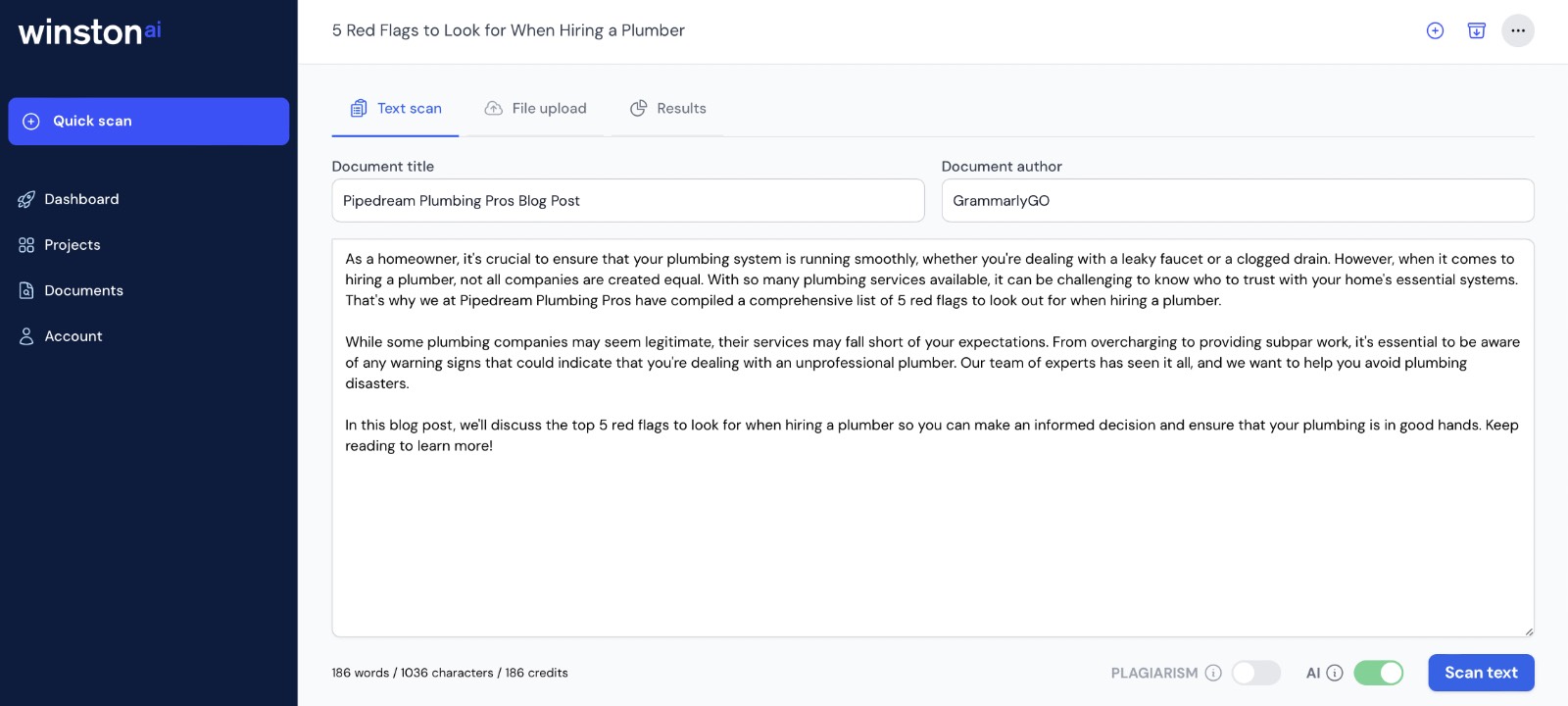
Looking at the results, GrammarlyGO's content received a human score of 14%, indicating a high likelihood of AI generation. However, looking at the entire introduction, there's a sentence that Winston AI didn't detect as AI-generated. This means when attempting to edit your work, you might not need to rewrite every single sentence that GrammarlyGO produces.
Another notable result is that the content achieved a readability score of 61, which is suitable for readers around the 8th and 9th-grade levels.
Writer
Next on our list is Writer's AI Content Detector.
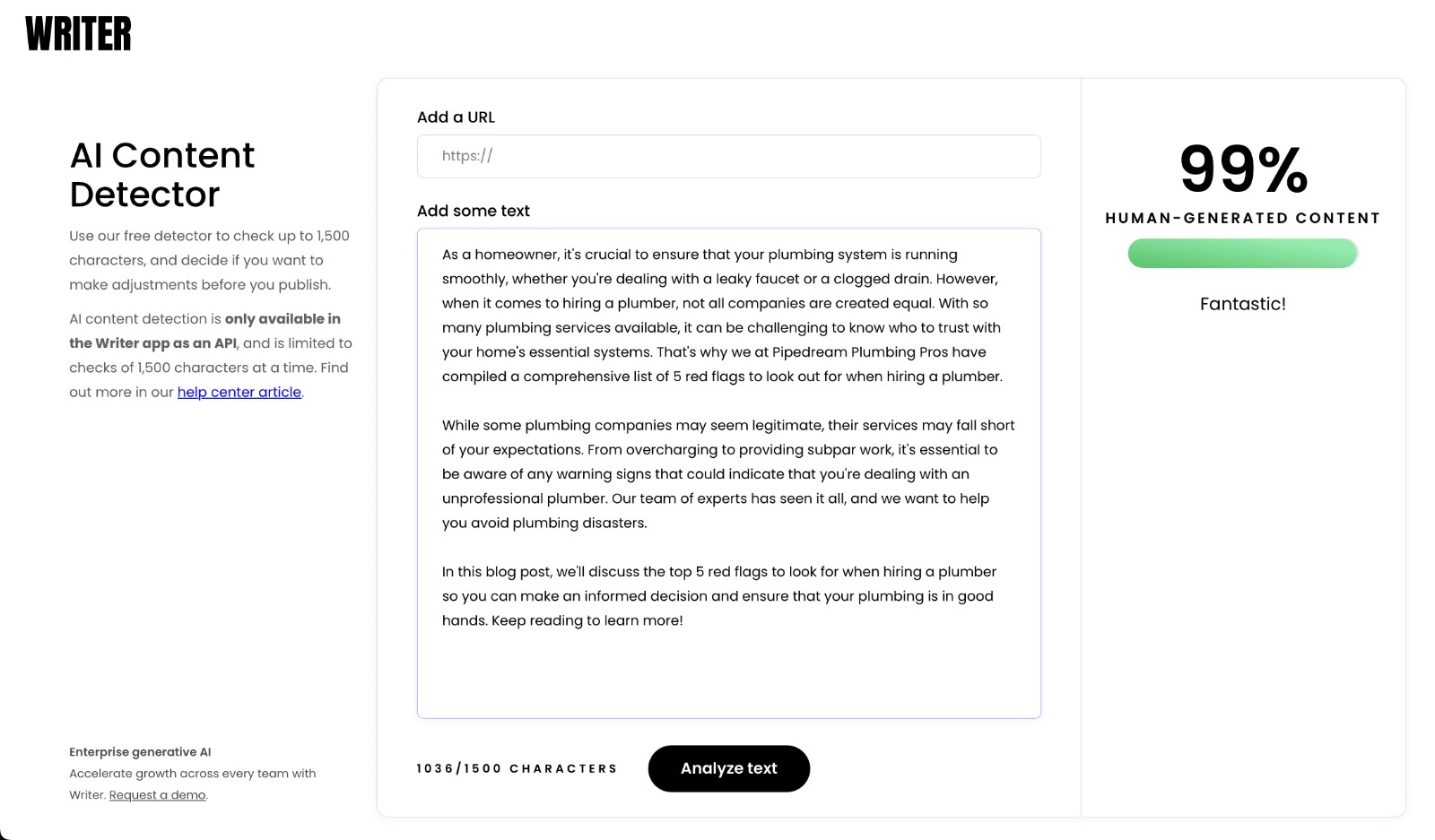
Using Writer's detector, the content produced by GrammarlyGO was scored as 99% human-generated.
I'll be honest this was an unexpected result, given that in our previous test with Winston AI it only scored 14%.
It goes to show that relying on just one AI detector might not give a complete picture. Testing with multiple tools can provide a broader understanding of how AI-sounding your content might be, and I would always work with the lowest-scoring results as a best practice.
Copyleaks
Copyleaks is another popular AI content detector, and it was pretty certain about the origins of the GrammarlyGO output.
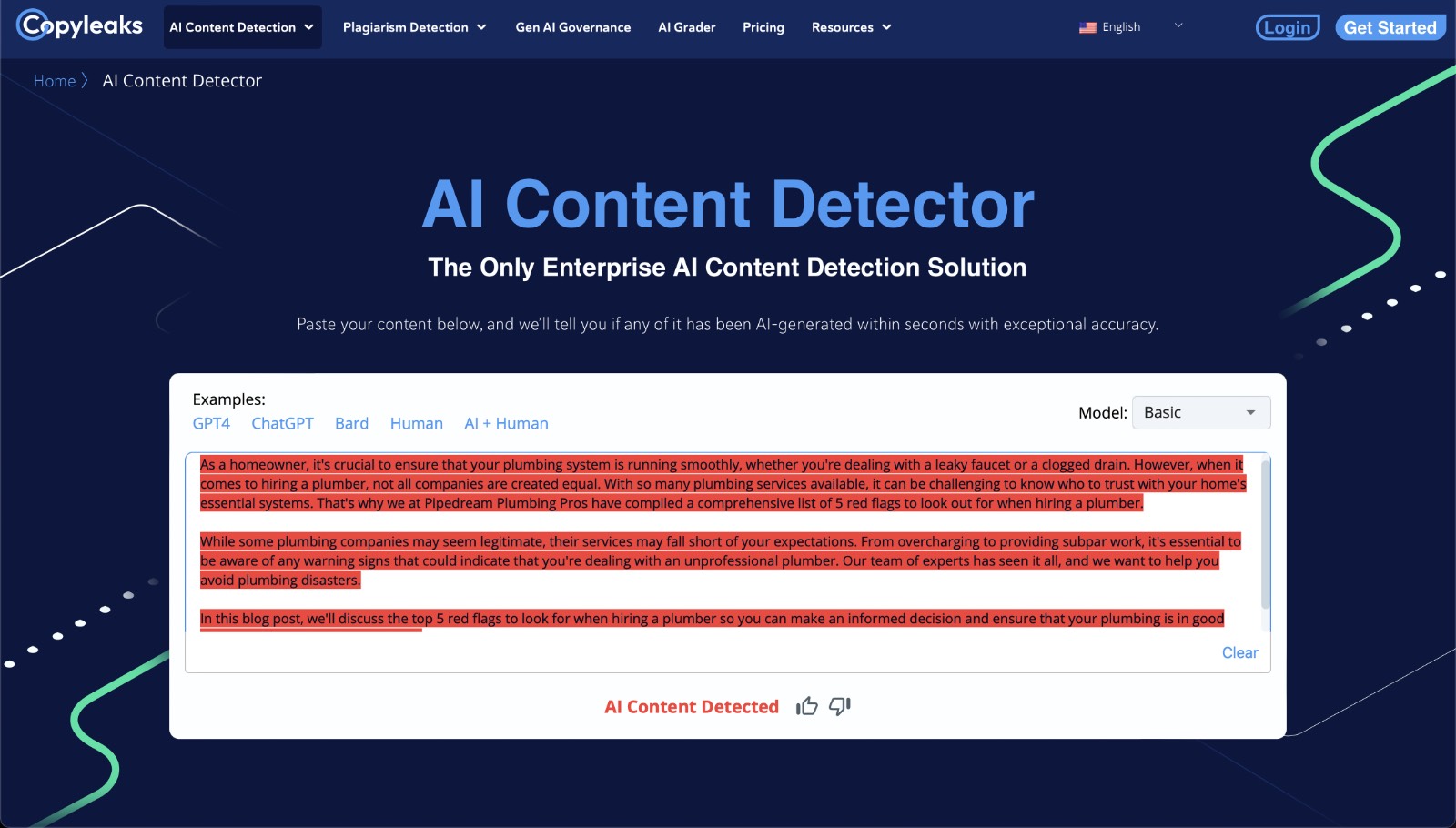
When I ran the content through their free online tool, it flagged the entire piece, indicating a whopping 99.9% chance of it being AI-generated.
Content at Scale
The last detector on our list, Content at Scale, gave the content a clear "❌ Reads Like AI! 😔". Even if a few sentences here and there go undetected on its own, in the broader context of the entire content, it was flagged as AI-generated.
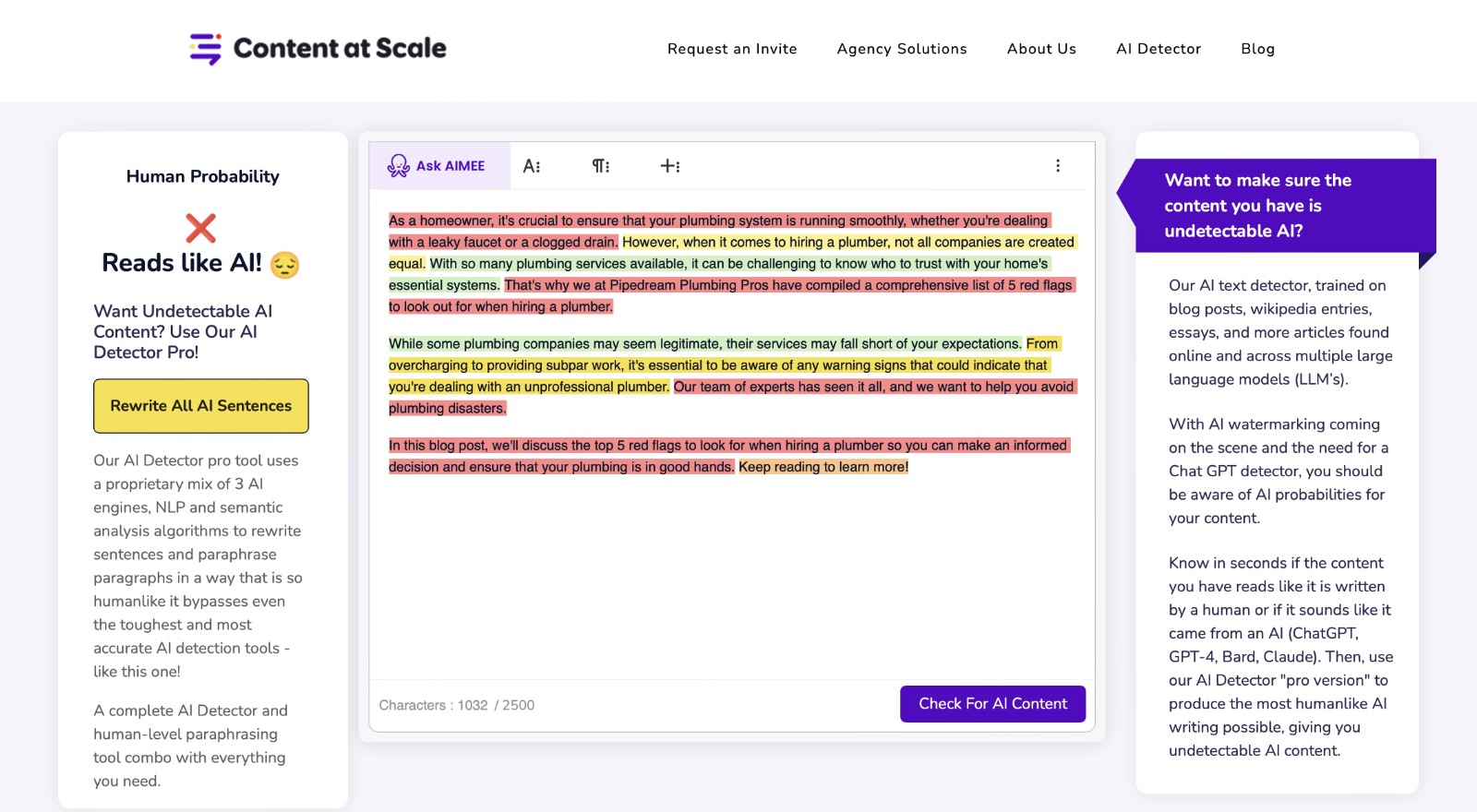
A standout feature of Content at Scale is its unique rewrite functionality. The Content at Scale AI detection tool isn't just about detection; it offers solutions too. The built-in paraphrasing capability can instantly turn AI-detected content into a version that sounds more human-written.
AI Detector Tips & Tricks
Using tools like GrammarlyGO is handy for increasing your productivity. But with the rise of AI detectors, it's important to be aware of how you’re using it and which tasks you’re using it for. If you want content that avoids detection or just feels more natural, here are simple tips to keep your content sounding as natural as possible:
Use Sparingly: GrammarlyGO can make your writing better, but if you rely on it too much, it might seem AI-created. It's a good idea to use it for small edits rather than entire pieces.
Add a Personal Touch: After getting help from GrammarlyGO, put some of yourself into the content. Share a personal experience or your unique viewpoint. It can make your content sound more genuine and less machine-made.
Diversify Your Tools: Don't just stick to one tool. There are others like the Hemingway Editor. Using a mix can help your content be more unique and less like it came from an AI.
Remember, while AI like GrammarlyGO can assist, your unique perspective and voice are what make your content special. Make sure you’re using AI as just an aid and letting your personal experiences shine through your work.
Strengths & Opportunities
Strengths
Seamless Integration
Contextual Understanding
User-Friendly Interface
Conversational Prompting
Affordable Subscription
Opportunities
Long Form Content
Limited Language Support
Occasionally Glitchy
How Does GrammarlyGO Compare to the Competition?
Choosing the right AI writing tool can be a bit overwhelming. With so many options available, each boasting groundbreaking features, making an informed choice is important.
I've spent a good deal of time understanding GrammarlyGO and comparing it with big names like ChatGPT, Jasper, and Writer.
From my personal experience, every tool has its unique strengths.
I'll share my insights into how GrammarlyGO measures up against its competitors. By the end of our Grammarly review, you'll have a clearer idea of which tool might be the best fit for you.
Competitor Overview
GrammarlyGO
GrammarlyGO

Jasper
Jasper

ChatGPT
ChatGPT

Writer
Writer

GrammarlyGO vs. ChatGPT
We're going to start off by comparing the features of GrammarlyGO against the AI-heavyweight ChatGPT. It's the most recognizable AI tool on the market after making international headlines last year when it first went public. This makes it the perfect tool for us to start comparing GrammarlyGO against.
GrammarlyGO
GrammarlyGO is my go-to for quick tasks. If I'm writing an email or making a social media post and I get stuck, I'll usually turn to GrammarlyGO. It fits right into most apps, with its handy integrations like its Chrome extension, making it easy to use.
Plus, if you don't want to spend much, GrammarlyGO's free version is handy. It gives you 100 prompts every month. This is great for those times when you need help with ideas, want to reply to emails fast, or feel stuck with what to write.
For those who write a bit more, there's also a paid version. It bumps up your limit to 1,000 prompts a month so that you can use it far more often.
ChatGPT
ChatGPT, on the other hand, I find is better for longer writing tasks comparatively. When I'm working on longer pieces like reports or big articles, I'll open up a new browser window and go to ChatGPT.
I'll typically split my writing into smaller parts and then chat with ChatGPT to build on my ideas. This is because ChatGPT has a much larger memory capability than GrammarlyGO, so you can keep referencing back to parts of the work you've used ChatGPT to help with. However, depending on how extensive your chats get, you might need to refresh ChatGPT's memory by copying and pasting some context into a new prompt.
One of ChatGPT's attractive benefits is that you're able to send lots of messages if you use GPT-3.5, even with a free account. If you upgrade to ChatGPT Plus you'll have the option to switch to it's far more powerful GPT-4, but there's a limit.
With GPT-4, you can send a maximum of 50 messages every three hours. This means if you're writing a lot in one go, you might have to take breaks in between sessions. However, over the course of a month you'll have a far larger number of prompts at your disposal vs the hard caps that come with GrammarlyGO.
Header | GrammarlyGO | ChatGPT |
|---|---|---|
Free Version | Yes | Yes |
Free Trial | No | Via Friend Referal |
Starting Price | $12/Month | $20/Month |
Usage Limits | Free - 100 Prompts Premium - 1,000 Prompts | GPT-3.5 - Unlimited (Free & Paid) GPT-4 - 50 Messages/3H (Paid) |
Languages Supported | English | 95+ |
Writing Assistance | Ideal for short-form content - Writing Emails - Social Media Posts - Responding to Customer Reviews - Drafting Blog Post Outlines | Great for creative writing and brainstorming - Writing Blog Post Sections - Brainstorming Creative Ideas - General Q&A and Problem Solving - Image Recognition & Analysis |
Templates | Simple 1-Click Suggestions | None |
Context Awareness | You can highlight text you're working on and import it into GrammarlyGO to improve | Able to use previous parts of each individual chat to develop context and understanding |
Personalized Voice/Tone | 3 Formality Levels 6 Voices | You can use prompt engineering to customize ChatGPT's responses to adapt |
Plagiarism Checker | Yes | No |
Customer Support | Support Tickets | Support Tickets |
Header | GrammarlyGO | ChatGPT |
|---|---|---|
Free Version | Yes | Yes |
Free Trial | No | Via Friend Referal |
Starting Price | $12/Month | $20/Month |
Usage Limits | Free - 100 Prompts Premium - 1,000 Prompts | GPT-3.5 - Unlimited (Free & Paid) GPT-4 - 50 Messages/3H (Paid) |
Languages Supported | English | 95+ |
Writing Assistance | Ideal for short-form content - Writing Emails - Social Media Posts - Responding to Customer Reviews - Drafting Blog Post Outlines | Great for creative writing and brainstorming - Writing Blog Post Sections - Brainstorming Creative Ideas - General Q&A and Problem Solving - Image Recognition & Analysis |
Templates | Simple 1-Click Suggestions | None |
Context Awareness | You can highlight text you're working on and import it into GrammarlyGO to improve | Able to use previous parts of each individual chat to develop context and understanding |
Personalized Voice/Tone | 3 Formality Levels 6 Voices | You can use prompt engineering to customize ChatGPT's responses to adapt |
Plagiarism Checker | Yes | No |
Customer Support | Support Tickets | Support Tickets |
Between the two tools, GrammarlyGO is great when you want quick help. It's good for fast tasks and short writing jobs.
ChatGPT is better for when you're writing a lot or working on bigger projects. You just need to think about what kind of writing suggestions you'll want assistance with and how often to pick the best tool for you.
I personally use both tools and find they can be really helpful when I'm writing.
GrammarlyGO vs. Jasper
We're now going to compare GrammarlyGO against Jasper, one of the more prominent AI writing tools on the market, designed to be an entire marketing team for small business owners.
Jasper
The first thing that stands out when you first log into Jasper is that it's built to be a comprehensive content studio able to create every piece needed to launch your next marketing campaign. It can feel a little overwhelming at first, having so many options readily available at your disposal compared to the more minimalistic interface that GrammarlyGO offers.
GrammarlyGO, which shines as an impromptu writing assistant for quick tasks, Jasper stands out in tackling extended content. I've used it to churn out blog posts and design ad copy without a hitch.
One feature of Jasper that really caught my eye was its campaigns. You start off by feeding it a marketing brief, and voila! You can create everything from social media posts to emails and landing page content, all personalized to match your marketing campaign.
Now one important thing to consider when comparing tools is the price factor. Jasper, with its broad feature set, is priced at /month when you go with the annual billing.
While GrammarlyGO, which offers quick writing solutions and integrates easily with apps, comes in at a more affordable /month for the annual subscription.
For those unsure about making the investment, Jasper offers a 7-day free trial.
GrammarlyGO
Whenever I'm typing away, GrammarlyGO is like a little assistant patiently waiting to help. It's my go-to for rapid tasks. Whether it's asking GrammarlyGO to create an email, write a tweet, or just hash out an idea I'm thinking about, GrammarlyGO is right there.
While Jasper is an excellent generative AI tool, especially for broader projects. It can sometimes feel like I'm asking a whole team for assistance when I just need a quick hand.
One of GrammarlyGO's standout features is its swift interaction. Let's say I'm drafting a message. If I highlight a section, I can instantly ask GrammarlyGO for suggestions. It doesn't continuously monitor what I'm typing, but when called upon, it's prompt and efficient.
GrammarlyGO, on the other hand, is all about instant assistance. It's that trusty pen you always have in your pocket. Quick to grab, easy to use, and always reliable for those immediate tasks.
Header | GrammarlyGO | Jasper |
|---|---|---|
Free Version | Yes | No |
Free Trial | No | 7-Day Trial |
Starting Price | $12/Month | $39/Month |
Usage Limits | Free - 100 Prompts Premium - 1,000 Prompts | Unlimited |
Languages Supported | English | 24+ |
Writing Assistance | Ideal for short-form content - Writing Emails - Social Media Posts - Responding to Customer Reviews - Drafting Blog Post Outlines | Perfect for creating marketing campaigns - Writing Landing Page Sales Copy - Email Marketing Sequences - Pay Per Click Ads - Blog Content |
Templates | Simple 1-Click Suggestions | 50+ |
Context Awareness | You can highlight text you're working on and import it into GrammarlyGO to improve | Teach Jasper about your business by uploading products, marketing briefs, FAQ's and audience details |
Personalized Voice/Tone | 3 Formality Levels 6 Voices | Jasper can analyze your writing style and create a custom voice to match it |
Plagiarism Checker | Yes | Paid Add-on |
Customer Support | Support Tickets | Email (Creator Plan) |
Header | GrammarlyGO | Jasper |
|---|---|---|
Free Version | Yes | No |
Free Trial | No | 7-Day Trial |
Starting Price | $12/Month | $39/Month |
Usage Limits | Free - 100 Prompts Premium - 1,000 Prompts | Unlimited |
Languages Supported | English | 24+ |
Writing Assistance | Ideal for short-form content - Writing Emails - Social Media Posts - Responding to Customer Reviews - Drafting Blog Post Outlines | Perfect for creating marketing campaigns - Writing Landing Page Sales Copy - Email Marketing Sequences - Pay Per Click Ads - Blog Content |
Templates | Simple 1-Click Suggestions | 50+ |
Context Awareness | You can highlight text you're working on and import it into GrammarlyGO to improve | Teach Jasper about your business by uploading products, marketing briefs, FAQ's and audience details |
Personalized Voice/Tone | 3 Formality Levels 6 Voices | Jasper can analyze your writing style and create a custom voice to match it |
Plagiarism Checker | Yes | Paid Add-on |
Customer Support | Support Tickets | Email (Creator Plan) |
Having spent significant time with both tools, I've come to appreciate the distinct feature sets they bring to the table. If you're looking to craft entire marketing campaigns, the Jasper is going to be hands down the best option for you, and then you can leverage it for even simpler tasks.
If you're not looking to use AI to accomplish those time-intensive tasks, then GrammarlyGO is probably a better choice, with its lower price point and simpler interface and content creation process.
GrammarlyGO vs. Writer
Now we'll examine GrammarlyGO and Writer.
Writer is designed with teams in mind, focusing on collaboration and maintaining a consistent voice across documents. It's like a guiding hand, ensuring everyone on the team is on the same page.
By comparing their offerings, we'll highlight how each tool might fit into different writing scenarios. Let's see what sets them apart!
Writer
Writer stands out as an AI writing tool with its emphasis on teamwork. Keeping a consistent voice and style across a team can be a tough task, and Writer is built to handle this challenge. Here's how it offers solutions tailored for team settings:
Style Guides: Writer lets teams create customizable style guides. Instead of generic rules, you can set up guides that match your brand's voice. Ensuring every content piece, from marketing materials to internal communications, has a consistent tone.
Real-time Feedback: As you write in Writer, it provides feedback right away. Making sure that the content your team creates fits the set style and guidelines, streamlining the overall editing process.
Collaboration Tools: Teamwork is central to Writer. Members can edit documents together, add comments, and make changes, all within the platform. It creates an environment where everyone stays connected.
Templates: Writer offers a range of over 35 ready-to-use templates. Whether it's an email campaign or a press release, there's a template to get you started.
Context Awareness: Both Writer and GrammarlyGO offer context awareness. However, because Writer is designed for team settings, it can better understand the wider context of a document when aligned with a team's style guide.
Compared to GrammarlyGO, Writer's strength lies in its collaborative features. GrammarlyGO has a broad set of writing tools, but Writer ensures that all team members produce consistent content. If you're aiming for a uniform voice across various authors, Writer is a strong contender.
GrammarlyGO
GrammarlyGO excels as a writing helper for individuals compared to other AI tools such as Writer. Here's a breakdown of its unique offerings:
Detailed Writing Feedback: GrammarlyGO identifies grammar, punctuation, and style issues. For every suggestion it provides, there's a simple explanation, helping users learn and enhance their writing.
Contextual Help: GrammarlyGO adjusts its feedback based on the type of content you're writing. Be it a casual text or a formal letter, the tool provides suitable corrections and advice.
Content Creation: Apart from spotting mistakes, GrammarlyGO helps in generating content. This feature assists users in thinking of ideas, forming outlines, and writing short texts.
Easy Access: With its browser extensions and app links, accessing GrammarlyGO is quick and hassle-free. This is true whether you're composing an email, drafting a document, or creating a social media post.
Intuitive Design: Navigating GrammarlyGO is a breeze. The feedback is clear, and applying its suggestions is simple.
In comparison to Writer, which emphasizes maintaining a consistent voice in team projects, GrammarlyGO's goal is to perfect the writing of individuals. For those aiming to improve their own writing, GrammarlyGO presents an array of beneficial features.
Header | GrammarlyGO | Writer |
|---|---|---|
Free Version | Yes | No |
Free Trial | No | 7-Day Trial |
Starting Price | $12/Month | $13.50/Month |
Usage Limits | Free - 100 Prompts Premium - 1,000 Prompts | 15,000 Words |
Languages Supported | English | English |
Writing Assistance | Ideal for short-form content - Writing Emails - Social Media Posts - Responding to Customer Reviews - Drafting Blog Post Outlines | Designed for team collaboration - Create Product Descriptions - Outbound Email Replies - FAQ Generator - Case Studies |
Templates | Simple 1-Click Suggestions | 35+ |
Context Awareness | You can highlight text you're working on and import it into GrammarlyGO to improve | Create a style guide, terms, and rules to ensure consistency across all your content |
Personalized Voice/Tone | 3 Formality Levels 6 Voices | Upload documents to train Writer to understand your business needs and operations |
Plagiarism Checker | Yes | Yes |
Customer Support | Support Tickets | Support Tickets |
Header | GrammarlyGO | Writer |
|---|---|---|
Free Version | Yes | No |
Free Trial | No | 7-Day Trial |
Starting Price | $12/Month | $13.50/Month |
Usage Limits | Free - 100 Prompts Premium - 1,000 Prompts | 15,000 Words |
Languages Supported | English | English |
Writing Assistance | Ideal for short-form content - Writing Emails - Social Media Posts - Responding to Customer Reviews - Drafting Blog Post Outlines | Designed for team collaboration - Create Product Descriptions - Outbound Email Replies - FAQ Generator - Case Studies |
Templates | Simple 1-Click Suggestions | 35+ |
Context Awareness | You can highlight text you're working on and import it into GrammarlyGO to improve | Create a style guide, terms, and rules to ensure consistency across all your content |
Personalized Voice/Tone | 3 Formality Levels 6 Voices | Upload documents to train Writer to understand your business needs and operations |
Plagiarism Checker | Yes | Yes |
Customer Support | Support Tickets | Support Tickets |
Choosing between GrammarlyGO and Writer comes down to your specific writing objectives. If you're leaning towards collaborative writing with a consistent tone, Writer offers tools tailored for team projects. If your main goal is enhancing personal writing, from brief notes to significant drafts, GrammarlyGO is there to assist.
When considering costs, both are wallet-friendly. Writer begins at $13.50/month, while GrammarlyGO is priced at $12/month. This makes it easy to access top-tier AI writing tools without a hefty investment.
If you're hesitant, both platforms have options to ease your decision-making. Writer provides a free trial, giving you a hands-on experience of what it has to offer. GrammarlyGO goes a step further and lets you use the free version of GrammarlyGO to get you started.
This allows you to gauge each tool's strengths and decide which aligns more closely with your needs.
How Can GrammarlyGO Help Your Local Business?
After looking at how GrammarlyGO stacks up against competitors, we'll now look at a few different ways GrammarlyGO can be used to help local business owners boost their productivity.
We're going to cover three specific situations where GrammarlyGO can quickly help out.
Better yet, I'm going to show you the exact steps you can take to put GrammarlyGO to use today!
Achieving Inbox Zero
The constant barrage of emails can feel like a never-ending cycle. Especially when you're determined to give each one a personal touch, replying can become a significant time sink.
For many of us business owners, achieving Inbox Zero has felt more like a fantasy than a feasible goal. But what if I told you there's a way to make it a reality?
Let me walk you through my experience with GrammarlyGO using a hypothetical scenario with Pipedream Plumbing Pros, our fictitious local plumbing business.
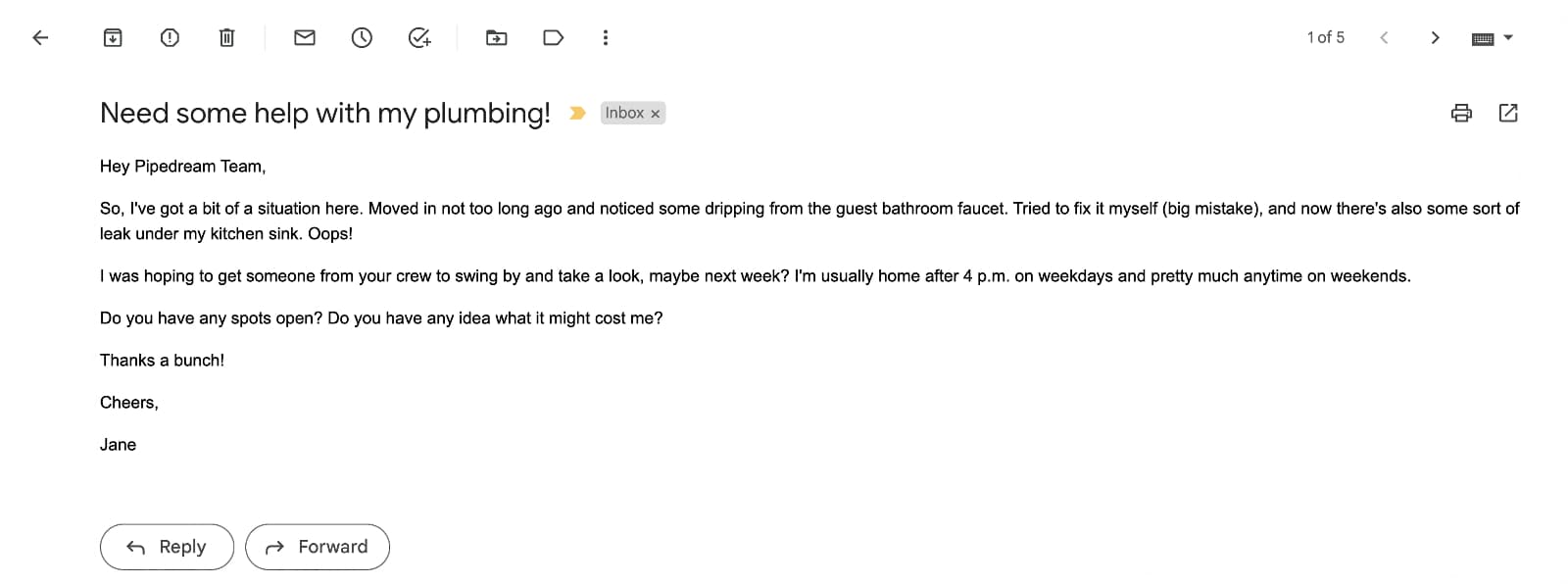
The Scenario:
Joe received a pretty typical customer inquiry email from a potential customer, Jane. The email reads:

Need some help with my plumbing!
Hey Pipedream Team,
So, l've got a bit of a situation here. Moved in not too long ago and noticed some dripping from the guest bathroom faucet. Tried to fix it myself (big mistake), and now there's also some sort of leak under my kitchen sink. Oops!
I was hoping to get someone from your crew to swing by and take a look, maybe next week? I'm usually home after 4 p.m. on weekdays and pretty much anytime on weekends.
Do you have any spots open? Do you have any idea what it might cost me?
Thanks a bunch!
Cheers,
Jane

Joe's Workflow with GrammarlyGO:
Step 1. Quick Drafting: Joe opened GrammarlyGO right within their mail app and quickly typed out a prompt to generate a response.
AI Prompt Suggestion
Write a reply to the following email saying I have spots available next week Tuesday or Wednesday after 4pm and that our diagnostic fee is $125. Here's the email; [Paste Customer Email]
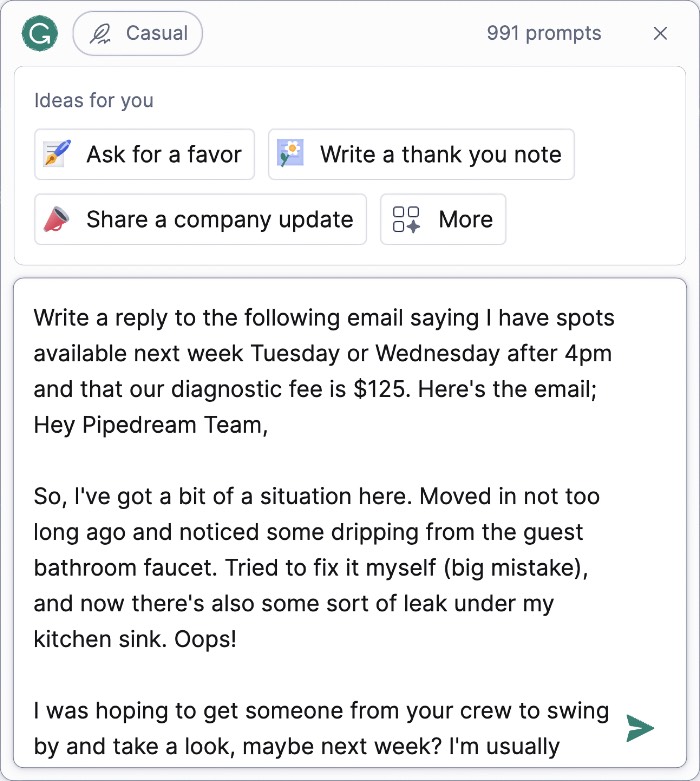
To his delight, GrammarlyGO offered an decent draft that answered all of Jane's questions. GrammarlyGO came back with the following:
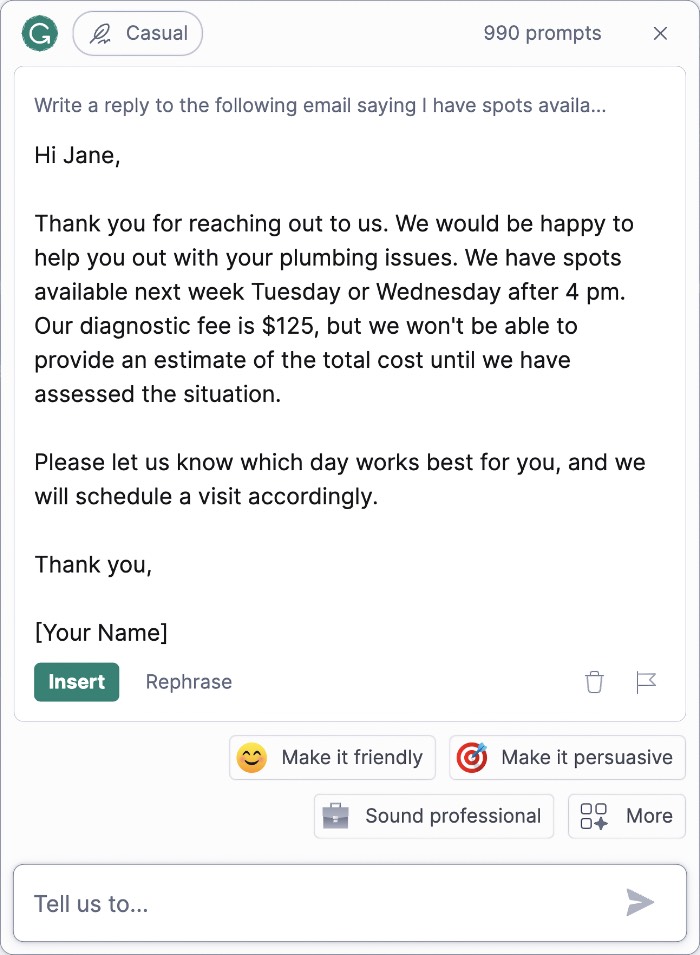
Re: Need some help with my plumbing!
Hi Jane,
Thank you for reaching out to us. We would be happy to help you out with your plumbing issues. We have spots available next week Tuesday or Wednesday after 4 pm.
Our diagnostic fee is $125, but we won't be able to provide an estimate of the total cost until we have assessed the situation.
Please let us know which day works best for you, and we will schedule a visit accordingly.
Thank you,
[Your Name]
Step 2. Adding the Personal Touch: Now, Joe believes in giving his customers a personalized experience. So, he decides to enhance the reply. By clicking on GrammarlyGO's "Make it friendly" option he got a version that was warmer and felt more personal:
Re: Need some help with my plumbing!
Hey Jane!
Thanks for getting in touch with us. We'd absolutely love to help you out with your plumbing problems. How does next week Tuesday or Wednesday after 4 pm sound?
Our diagnostic fee is $125, which will help us assess the situation. Unfortunately, we can't provide an estimate of the total cost until we've had a chance to take a look.
Just let us know which day works best for you, and we'll schedule a visit to fit your schedule.
Take care,
[Your Name]
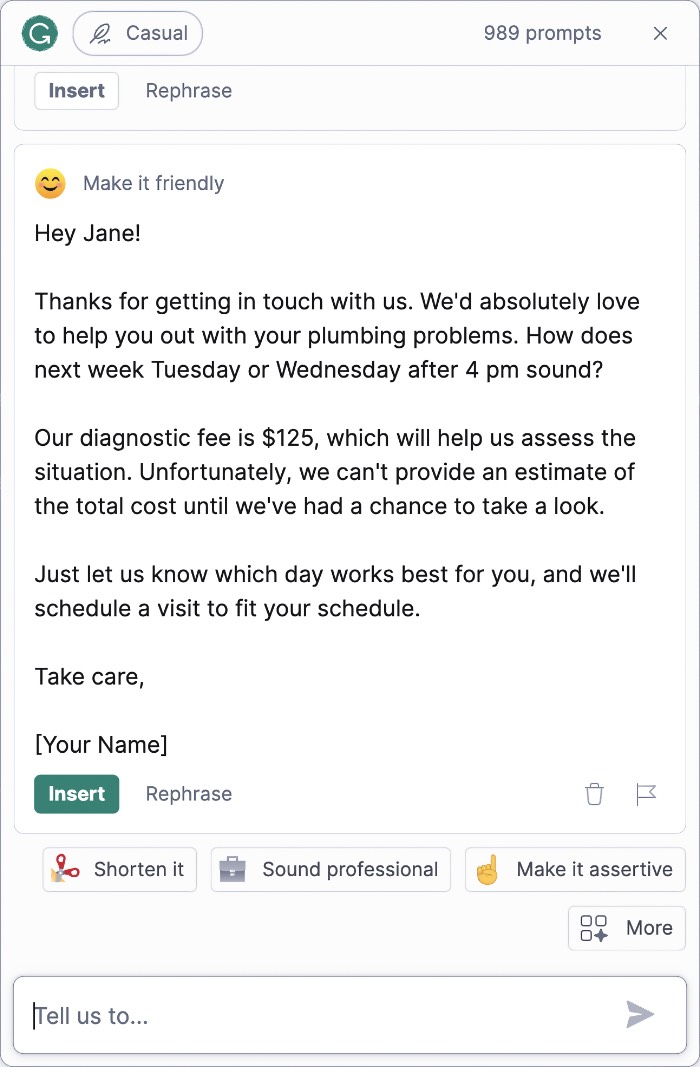
Step 3. Finalizing and Sending: With a simple click on the 'Insert' button in GrammarlyGO, the crafted email was pasted directly into the open reply email Joe started with.
He replaced the [Your Name] placeholder with "Joe" and gave it a final review using Grammarly's spelling and grammar check.
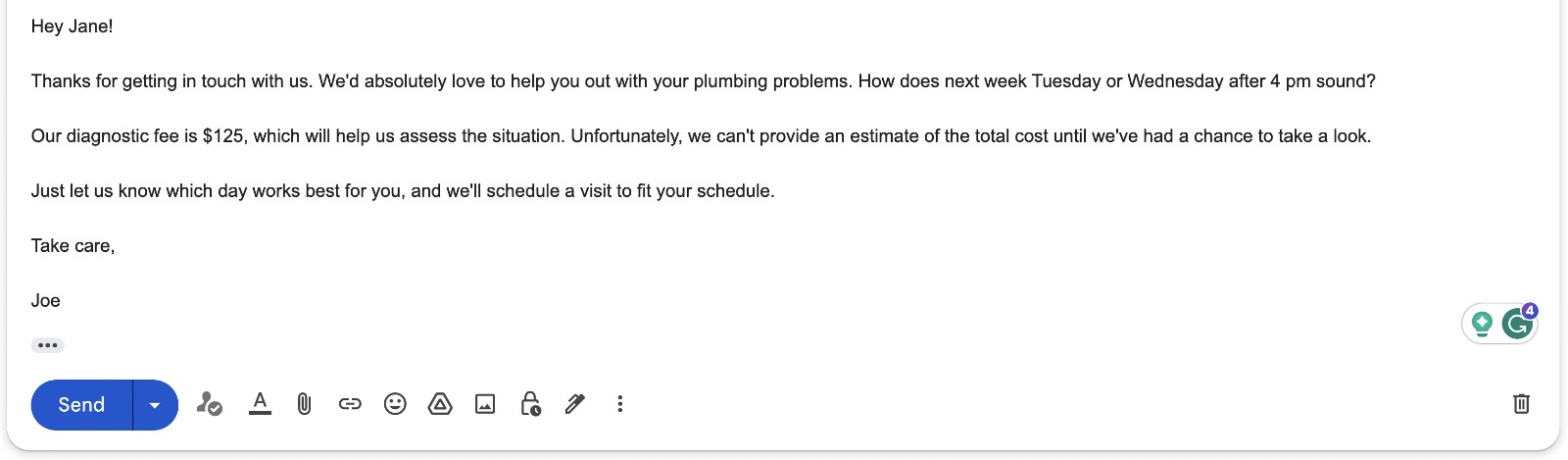
Doesn't that whole process feel so streamlined that you could be managing your emails in a fraction of the time?
If you've ever felt swamped by your inbox or wished for a more efficient way to maintain that personal touch in your replies, I can't recommend GrammarlyGO enough.
Crafting The Perfect Customer Review Response
As you all know, online reviews are super important for local businesses. They're one of the most impactful ways to help build trust with new customers.
But did you also know that replying to these reviews can boost your online rankings on places like Google? It's true!
Now, the tricky part is making sure our replies are just right. Especially when competitors are only a click away on these review sites. Let's see how I use GrammarlyGO to help with this, using a review for our fictitious Pipedream Plumbing Pros business as an example.
The Scenario:
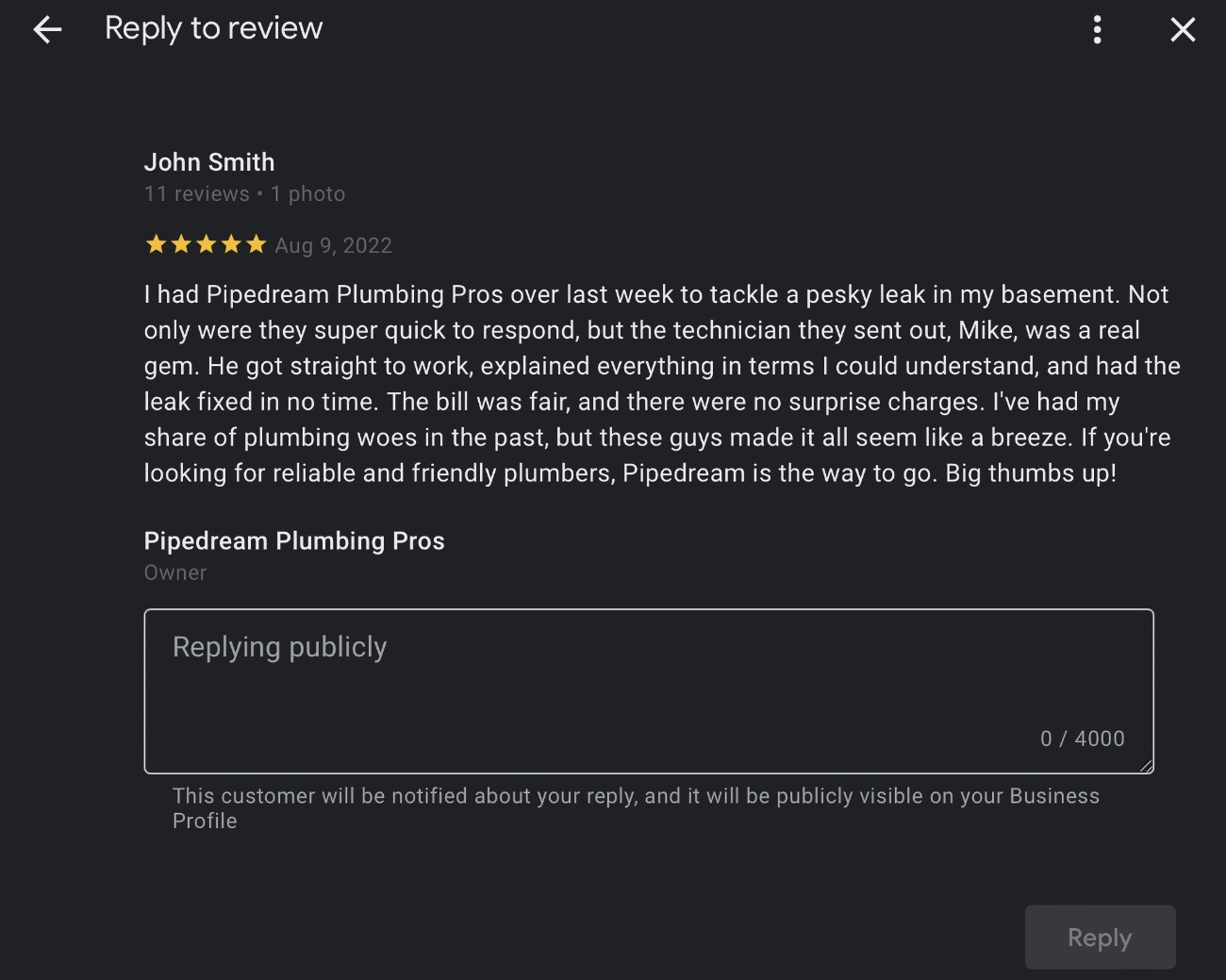
Joe recently received a glowing new 5-star review:
John Smith
I had Pipedream Plumbing Pros over last week to tackle a pesky leak in my basement. Not only were they super quick to respond, but the technician they sent out, Mike, was a real gem. He got straight to work, explained everything in terms I could understand, and had the leak fixed in no time. The bill was fair, and there were no surprise charges. I've had my share of plumbing woes in the past, but these guys made it all seem like a breeze. If you're looking for reliable and friendly plumbers, Pipedream is the way to go. Big thumbs up!
It feels great to get praise like this. But how should he respond?
With GrammarlyGO, there's a simple way to craft the perfect reply.
Here's The Process:
Step 1. Start With A Simple Draft: First, Joe opened GrammarlyGO in Google in the reply box of the review.
Then Joe created a basic prompt but also added a specific instruction to invite the customer to return for future business and then finally added John’s review for context. Here's the prompt:
AI Prompt Suggestion
Write a positive reply to this customer review and invite the customer back for future service. Here's the review; [Paste Customer Review]
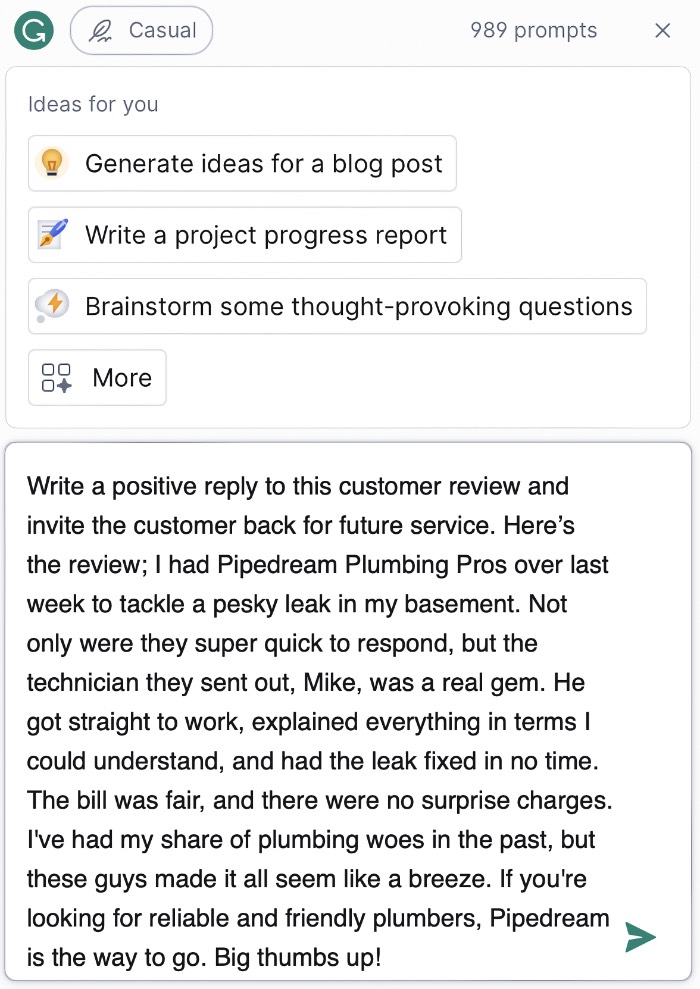
Here's what GrammarlyGO was able to come up with in just a few seconds:
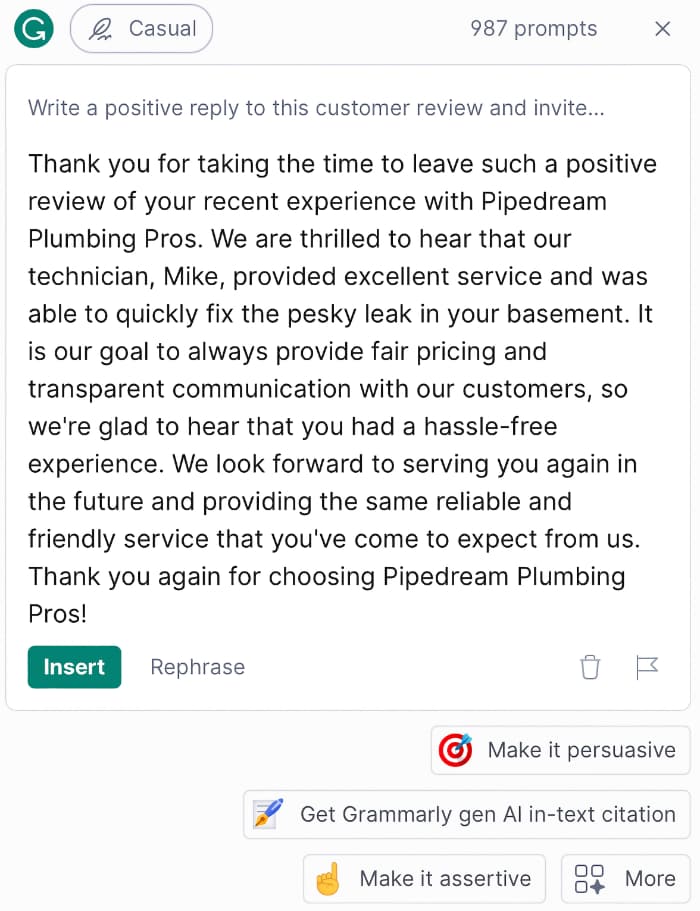
Thank you for taking the time to leave such a positive review of your recent experience with Pipedream Plumbing Pros. We are thrilled to hear that our technician, Mike, provided excellent service and was able to quickly fix the pesky leak in your basement.
It is our goal to always provide fair pricing and transparent communication with our customers, so we're glad to hear that you had a hassle-free experience.
We look forward to serving you again in the future and providing the same reliable and friendly service that you've come to expect from us.
Thank you again for choosing Pipedream Plumbing Pros!
That looks like a pretty positive reply, but Joe wants to take it just a little further and help convince potential future customers about why they should go ahead and book with him.
Step 2. Amp It Up: All Joe needed to do was quickly type out a follow up prompt to really step up his reply. It can look something like this:
AI Prompt Suggestion
Can you write the reply to sound enticing for potential readers of this reply to trust booking our business too
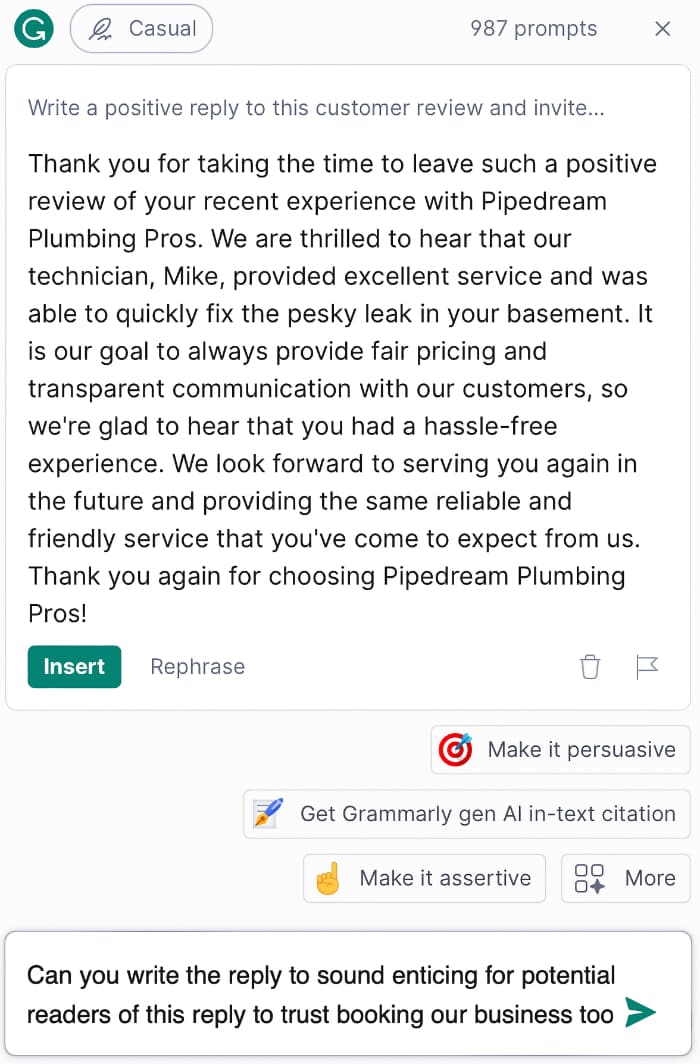
GrammarlyGO quickly takes its original reply and rewrites it with Joe's new request. Here's what it looks like after GrammarlyGO rewrote the reply.
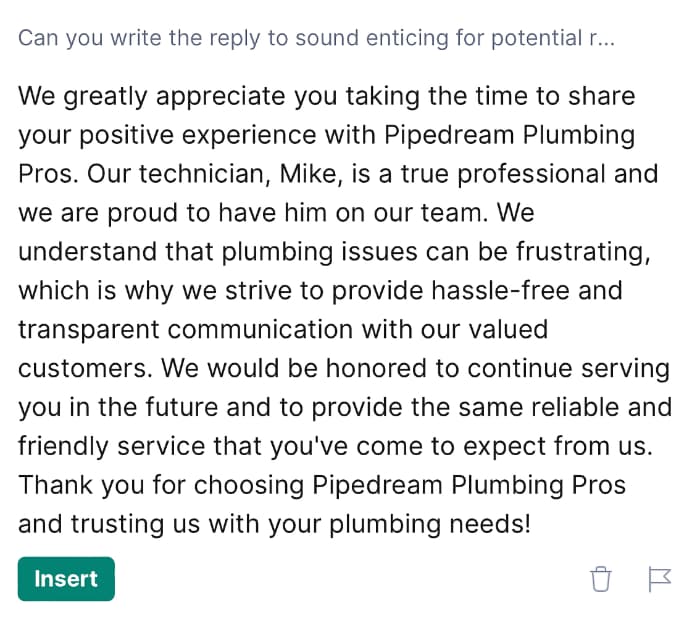
We greatly appreciate you taking the time to share your positive experience with Pipedream Plumbing Pros. Our technician, Mike, is a true professional and we are proud to have him on our team.
We understand that plumbing issues can be frustrating, which is why we strive to provide hassle-free and transparent communication with our valued customers.
We would be honored to continue serving you in the future and to provide the same reliable and friendly service that you've come to expect from us.
Thank you for choosing Pipedream Plumbing Pros and trusting us with your plumbing needs!
Step 3. Polish and Post: With Joe's improved reply ready, he clicks on 'Insert' to add it instantly to the reply box.
Joe then double-checked the review with Grammarly before hitting 'submit'.
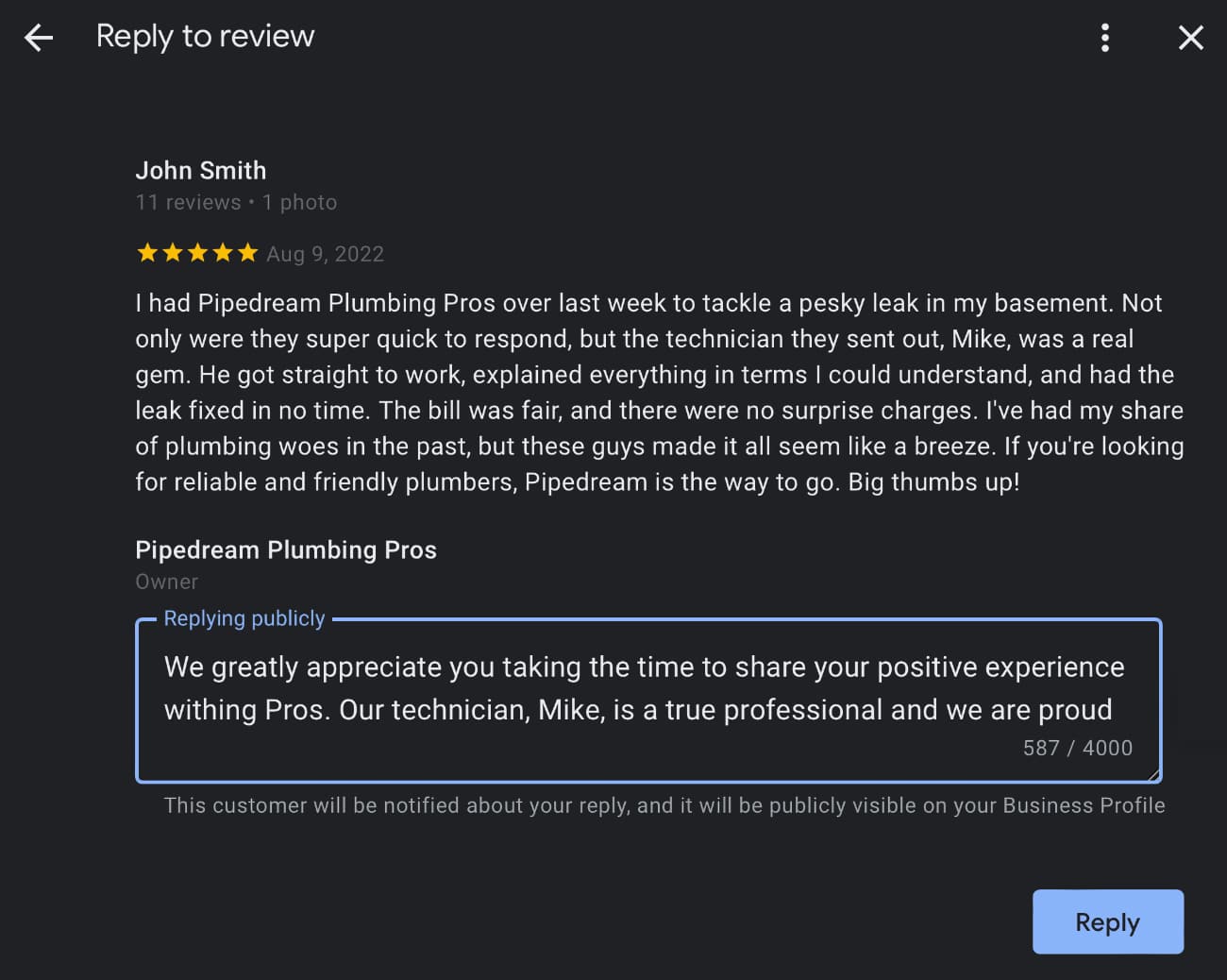
And that's it! A solid, engaging response that values the feedback and might even attract some new customers. If you want to boost your customer engagement, give this method a go on your own Google reviews, and you'll quickly realize that you can impact your business's visibility in the local map pack.
Brainstorming Ways To Boost Your Social Media
Every business owner knows this, whether or not they actually do it, but social media is a powerful tool to help attract new customers to your business. But let's be real.
Dreaming up content that resonates, especially when you want it to spark a conversation? That can be a serious challenge.
Time's ticking, and sometimes, despite all the effort, your posts just don’t get the traction they deserve. Frustrating, right?
That's where GrammarlyGO can be your lifeline. With this tool, you can whip up a storm of ideas in no time. Here's how I do it – and you can, too.
The Key to Killer Content:
1. Set the Stage: Fire up your favorite document app, whether that's Apple Pages, Microsoft Word, or Google Docs.
2. Pop Open GrammarlyGO: Open GrammarlyGO and create a prompt to start your brainstorming session. Here's what that could potentially look like:
AI Prompt Suggestion
Brainstorm ten potential social media posts my company "Pipedream Plumbing Pros" could use to create social media engagement on our social media pages.
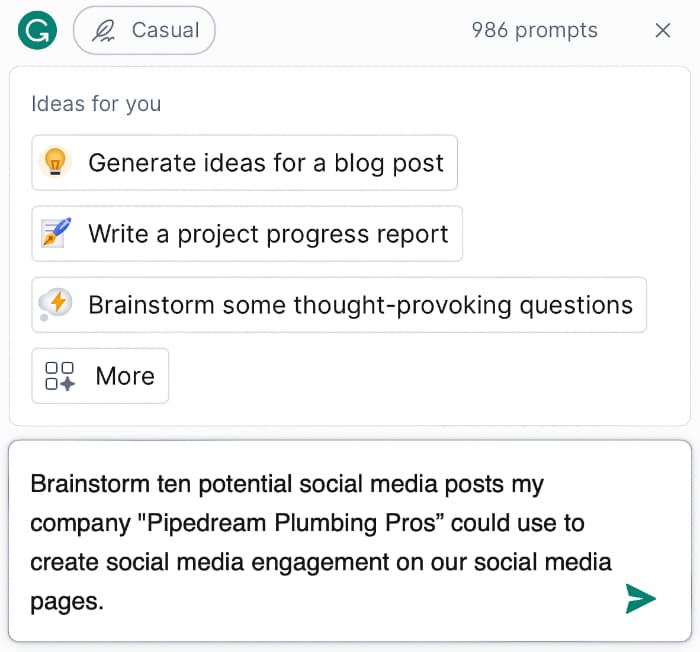
Within moments, you'll have ten potential posts. Here's what GrammarlyGO came up with.
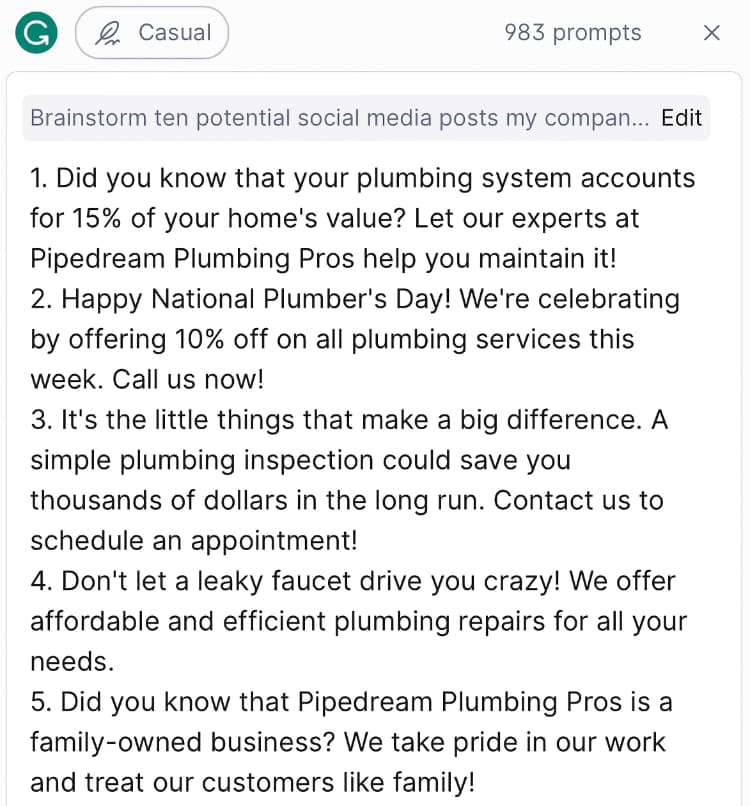
It's looking alright but let's be honest; most of these feel pretty vanilla and uninspired. We're after posts that pop, right? So lets take these post ideas a little further.
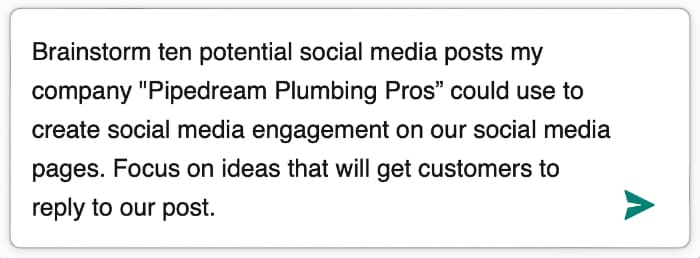
Step 3. Refine and Direct: A little tweak can go a long way. Just click on 'Edit' in GrammarlyGO and add "Focus on ideas that will get customers to reply to our post." to create an even more impactful prompt. Here's how the edited prompt looks now:
AI Prompt Suggestion
Brainstorm ten potential social media posts my company "Pipedream Plumbing Pros" could use to create social media engagement on our social media pages. Focus on ideas that will get customers to reply to our post.
Bam!
You should have some posts that will prompt customers to share stories or chime in with their experiences.
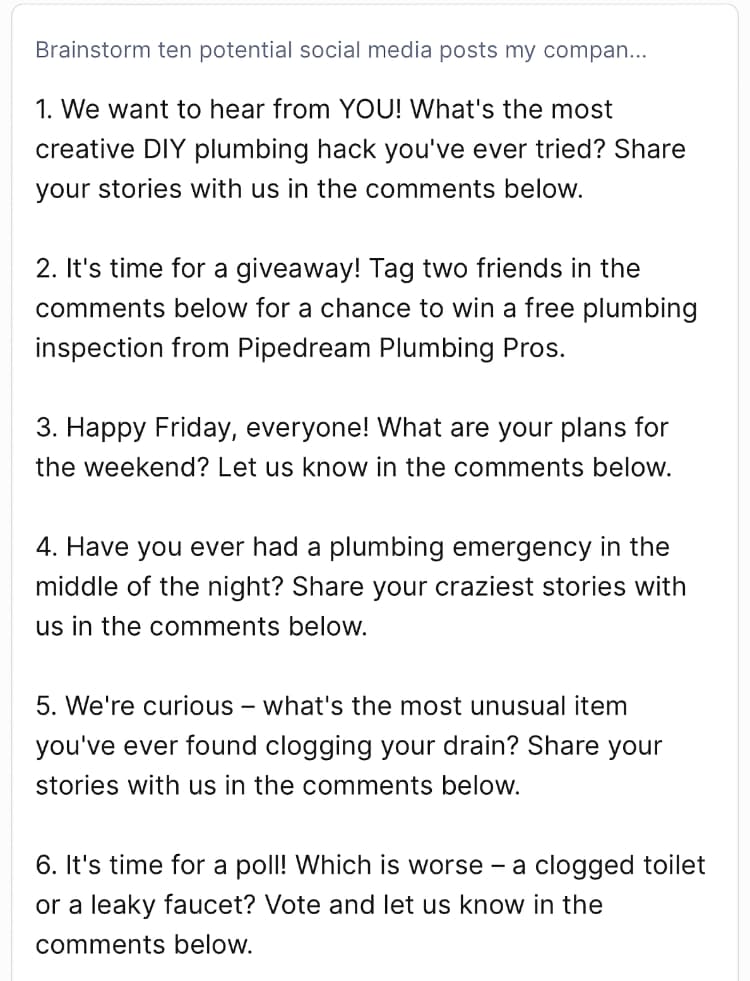
That's the gold you want to post on your social media to get people clicking and commenting.
Be sure to follow up by engaging yourself and responding to their comments, and watch as your post becomes a hub of activity.
Step 4. Bank Those Ideas: Click on 'Insert' in GrammarlyGO, sending all those fresh ideas straight into your document. Now you've got a rich reserve of post ideas ready to go whenever you need to fill your social media posting calendar.
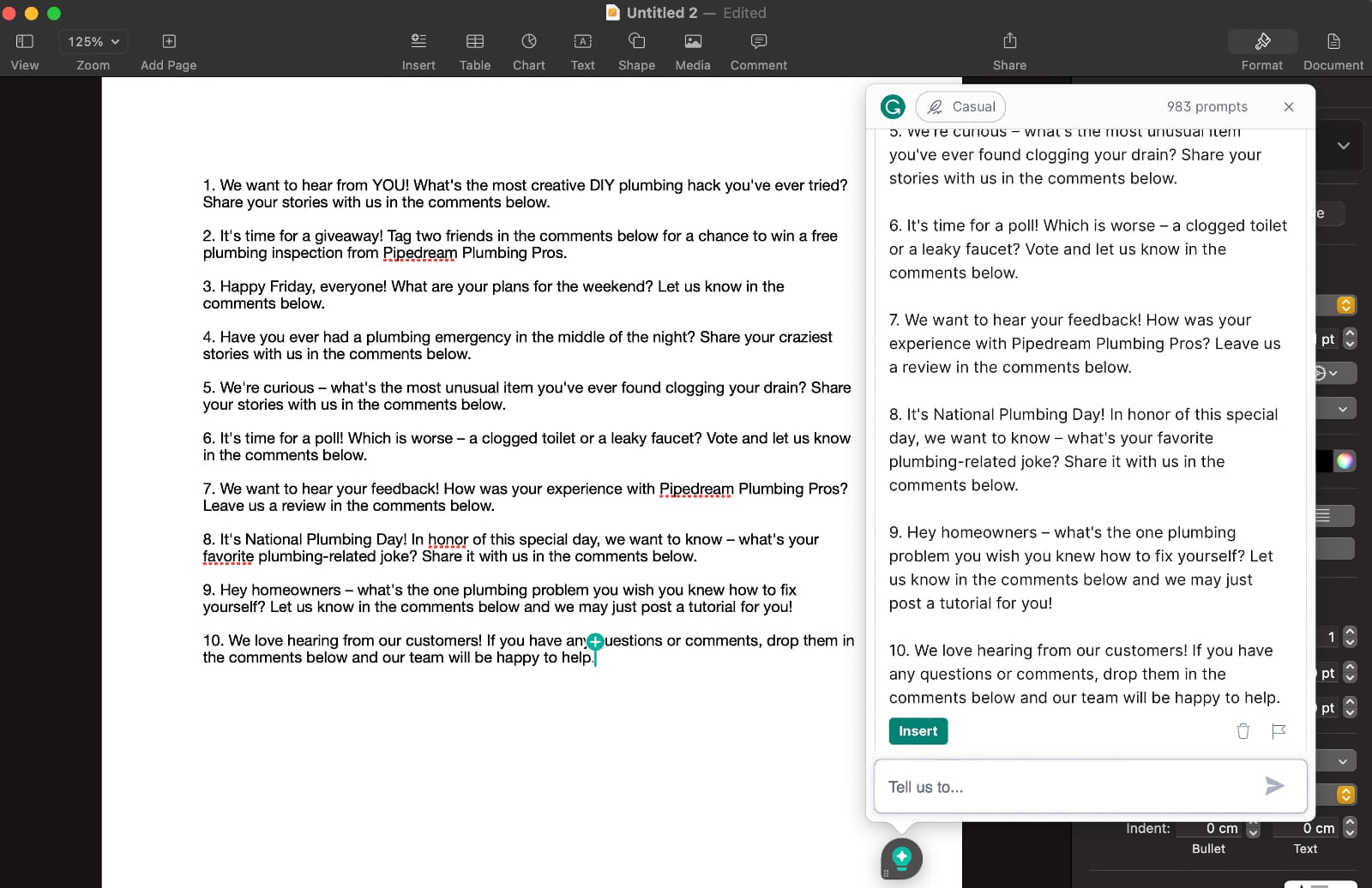
So, next time you're feeling that social media content crunch, remember this process.
What used to take ages for a single engaging post, you can now map out a whole month's worth. Give it a whirl, and watch your social media come alive.
It's worked for me, and I'm confident it'll do wonders for you too!
Frequently Asked Questions
Definitely. The free AI account is a fantastic way to sample GrammarlyGO's capabilities. However, with a limit of 100 prompts a month, if you're an active user, you'll exhaust this quota quickly. Upgrading to Grammarly Premium not only enhances your writing but also provides a whopping 1,000 prompts every month, which is 10x the amount of the free version.
While Grammarly is a robust tool, it's key to remember that it's automated software, which might not always capture the nuances or context perfectly. Some users might find its suggestions too frequent or feel they interrupt the writing flow. Additionally, GrammarlyGO is still currently in beta, which means there are times when a user's input might be required to ensure the generated content aligns with the desired tone or context.
For straightforward writing tasks like responding to uncomplicated emails, crafting brief social media posts, or short replies, Grammarly's free version can suffice. However, for more comprehensive writing, the advanced features in Grammarly Premium become invaluable. The addition of 10x prompts for GrammarlyGO in the premium version makes it even more compelling for those who write frequently.
The free version of Grammarly offers basic grammar, punctuation, and spelling checks and comes with 100 prompts for GrammarlyGO. The paid version not only provides advanced suggestions for style, tone, and clarity but also increases your GrammarlyGO prompt limit to 1,000 every month, giving you much more room to generate AI text content efficiently.
Grammarly Premium, which includes the enhanced features of GrammarlyGO, can start as low as $12/month, depending on the subscription plan you select. The best way to get the most updated pricing details is by visiting Grammarly's official website.
Should You Give GrammarlyGO A Try?
Hopefully you've found the information in our GrammarlyGO review to be helpful and give you confidence in deciding that it's a great tool to help you with your writing tasks. But don't just take my word for it, check it out for yourself with their free account, it's the best way to get hands on experience and see if it's worth the while. I'm positive that you're going to find some value in using it.
GrammarlyGO has proven to be an invaluable tool for me, especially when I'm working on my computer. Among the various AI tools I have access to, Grammarly stands out because it's always just a click away, offering immediate assistance for whatever writing task I'm tackling.
If you're someone who spends a significant amount of time on the computer, like I do, and often engages in writing-related tasks, then using an AI tool like GrammarlyGO could be that extra push toward productivity you've been looking for. Its capabilities are impressive, and even though GrammarlyGo still is in beta. I'm confident that with more time, it will only improve as it did with the launch of Grammarly many years ago.
When it comes to cost-effectiveness, Grammarly Premium, at around $12/month, is competitively priced. I've been a subscriber since 2017 and can't imagine my work routine without it.
However, if your primary goal is to find an AI tool that takes on a more substantial role in content creation for longer pieces, you might want to look into platforms like Jasper or Writer. That said, Grammarly's foundational strength in spelling and grammar checking ensures that your content is polished, making it a great companion to other AI tools.
GrammarlyGO Review Summary
GrammarlyGO is an indispensable tool for those frequently working on writing tasks on their computer. With its immediate assistance and robust features, even in beta, it boosts productivity significantly. Paired with Grammarly Premium's competitive pricing and top-tier grammar checking, it's a standout choice for boosting your productivity.
Key Features:
overall
Quality
Ease of Use
Cost